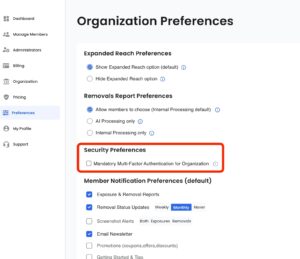

Optery added a new security setting to Optery for Business that gives administrators more control over account protection.
Administrators can now require Multi-Factor Authentication (MFA) for all users within their organization. Once enabled, every team member will be prompted to set up MFA, adding an extra layer of security beyond passwords alone.
This setting is available in the Organization Preferences page and can be turned on at any time. Enforcing MFA helps protect sensitive data, reduces the risk of unauthorized access, and supports stronger security practices across your entire team.
As always, we’ll continue rolling out improvements that make it easier to manage users while keeping organizational accounts secure.